For Button:
1. Set Input parameter as “Primary Control” for
2. You can put debugger in script
2. You can put debugger in script
function onClick(primaryControl)
//function to build URL and open new window
{
debugger;
var functionName = “onClick: “;
var executionContext = primaryControl;
try {
//your code
} catch (e) {
throwError(functionName, e.message);
}
}
3. Open console window (F12) and the script will start debug automatically.
//function to build URL and open new window
{
debugger;
var functionName = “onClick: “;
var executionContext = primaryControl;
try {
//your code
} catch (e) {
throwError(functionName, e.message);
}
}
3. Open console window (F12) and the script will start debug automatically.
For Form/Field:
1. Make sure you have checked “Pass execution context as first parameters” form/field event properties.
2. You can put debugger in script
2. You can put debugger in script
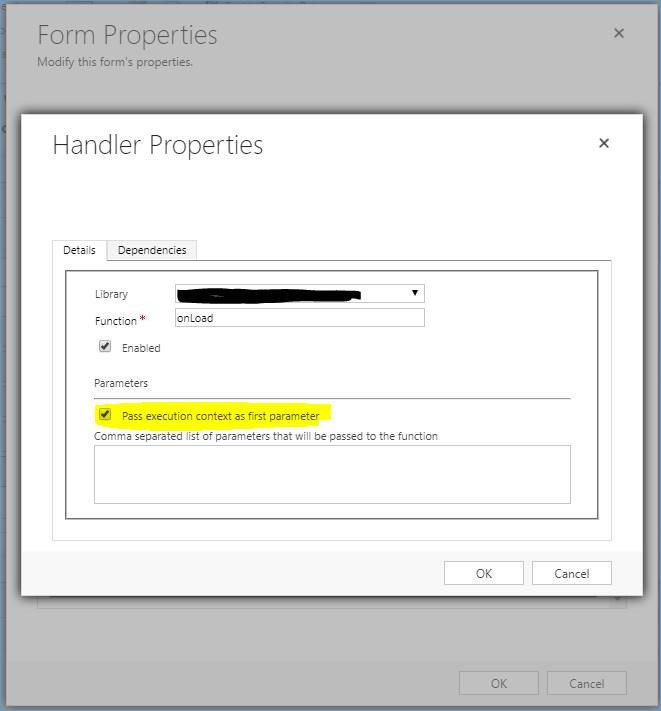
function onLoad(executionContext)
//function to build URL and open new window
{
debugger;
var functionName = ” onLoad: “;
try {
//your code
}
//function to build URL and open new window
{
debugger;
var functionName = ” onLoad: “;
try {
//your code
}
} catch (e) {
throwError(functionName, e.message);
}
}
throwError(functionName, e.message);
}
}
3. Open console window(F12) and the script will start debug automatically.


